Knowledge Base
Recording Actual Spend
The ledger
The Actuals view is the whole document's spend in one table: date, cost line, description, reference, payee, quantity and amount, led by the running Actual to date. Every column sorts, and cost line, description, reference and payee filter. The leading figure follows the filter rather than the document, so a filtered ledger reads Actual to date (filtered).
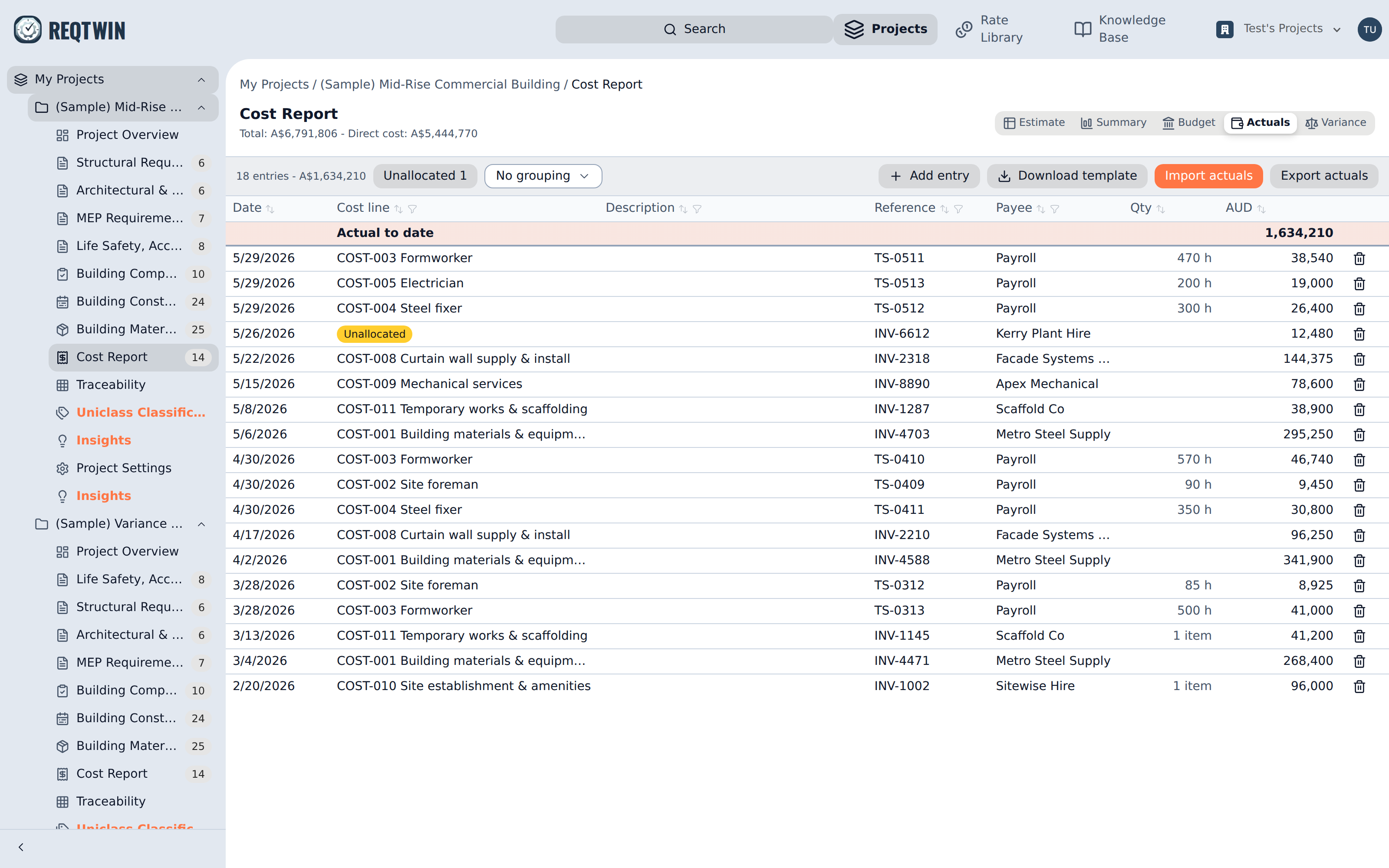
The Actuals view: one row per entry, led by the running actual to date.
An entry records one outgoing: an amount, an optional quantity, the date it was incurred, and free-text description, reference and payee. It may represent part of an invoice, several invoices, or something never invoiced at all.
Adding and correcting entries
Add entry posts a single entry against a cost line. Clicking any row opens it in the detail panel, where every field is editable including which line it posts to. A line's own panel in the Estimate view shows the same entries for that one line, in context, with its implied actual rate (total amount over total quantity).
Entries post to lines, never to headings: a heading's actual is the roll-up of its children exactly as its subtotal is. A percentage line such as margin or contingency can take entries but usually never does, and reads as zero until one is posted.
Importing a period's spend
Download template produces a CSV holding one row per cost line, each already carrying the line's stable id, plus blank columns for date, reference, payee, quantity, amount and description. Fill in the lines you spent against, leave the rest blank, and Import actuals maps the columns and previews the result before anything is written.
Take a fresh template each time rather than reusing one: lines get added and renamed between periods. Dates must be ISO (YYYY-MM-DD), since guessing whether 03/04/2026 is March or April would silently misdate money.
Export actuals writes the entries that exist, in the shape the importer accepts back.
Unallocated entries
The line reference in an import is optional. A row with no stable id, or one naming a line that no longer exists, lands as an unallocated entry rather than failing the import. Unallocated spend still counts toward actual to date, because money spent is money spent, and it stays visible as its own bucket (with a count beside it) until every entry in it has been given a cost line.
Grouping
A period's spend reads two ways, down the lines it lands on and across the payees it went to, so the toolbar carries a grouping choice: by cost line, by payee, or none. Grouping cuts the ledger into subtotalled blocks, each carrying its entry count and total, with the no-value bucket last.