Knowledge Base
Building a Handover Pack
Where it is
Handover pack sits in the project nav, under Traceability. It opens on the project's verification read: what the register claims, what the inspection records back, and what a client would be handed today.
The page is on every plan. Building a pack needs Professional or Team.
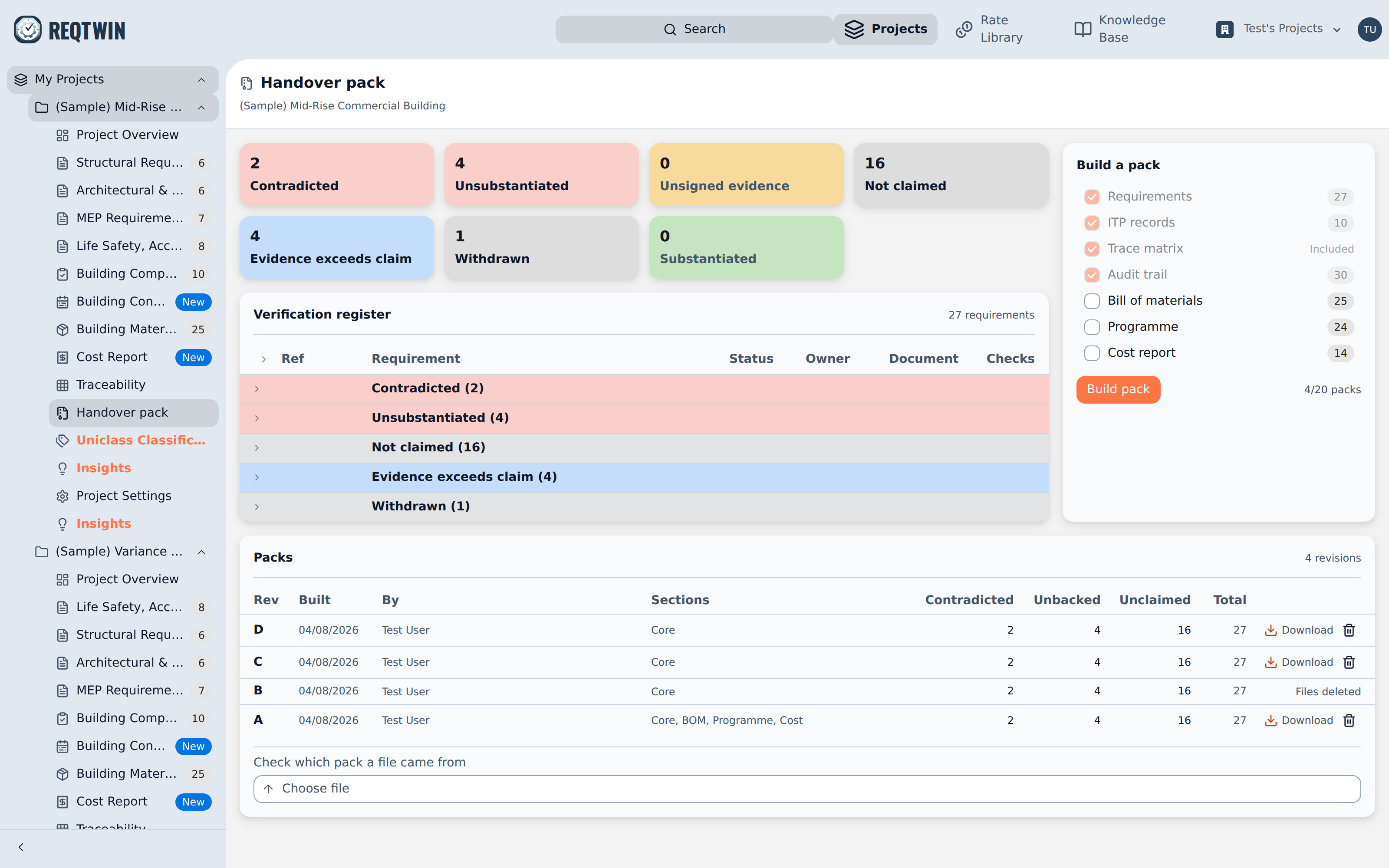
The Handover pack page: a tile per verdict, the verification register grouped worst first, and the build panel.
What a pack contains
One zip, two files:
verification-report.pdf: cover with the client, project reference and revision, then scope and method, summary, findings, the verification register, supporting registers, the audit trail, and the supporting data page.
project-evidence.xlsx: one sheet per dataset. Pack Info, Requirements, ITP Records, Trace Matrix and Audit Trail always, plus BOM, Programme, Cost Report and Cost Actuals when included.
Choose the sections
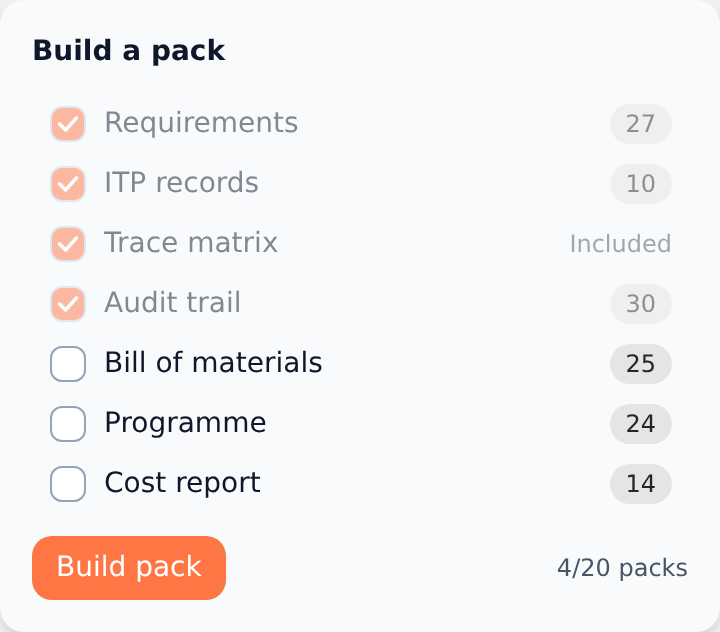
The build panel: four fixed sections, three opt-in, and the count each one carries.
Requirements, ITP records, Trace matrix and Audit trail are always in.
Bill of materials, Programme and Cost report are off by default. Tick to include.
Ticking Cost report puts the project's own pricing in the pack, in both files, and the panel says so.
The number on each row is what that section will carry.
Name the client
Client and Project reference appear only when the project has none. What you type is saved to Project Settings, so later builds prefill and never ask again. Both print on the report cover.
Build it
Press Build pack and stay on the page. The stages run Preparing, Reading project, Rendering documents, Packaging.
Each build spends one of the plan's packs for the billing period. The chip beside the button reads how many are left.
Editors and admins build packs. Viewers see the page and a disabled button.
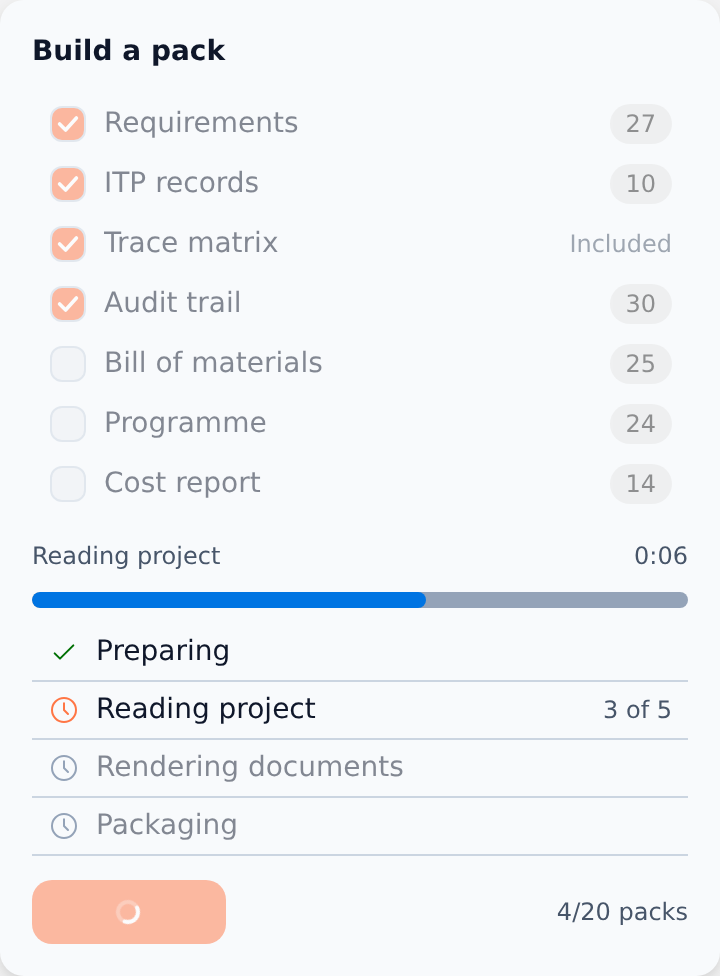
A build in progress: the stage list, the current stage's count, and the packs remaining.
Revisions
Every build is a new revision, lettered A, B, C. Nothing overwrites.
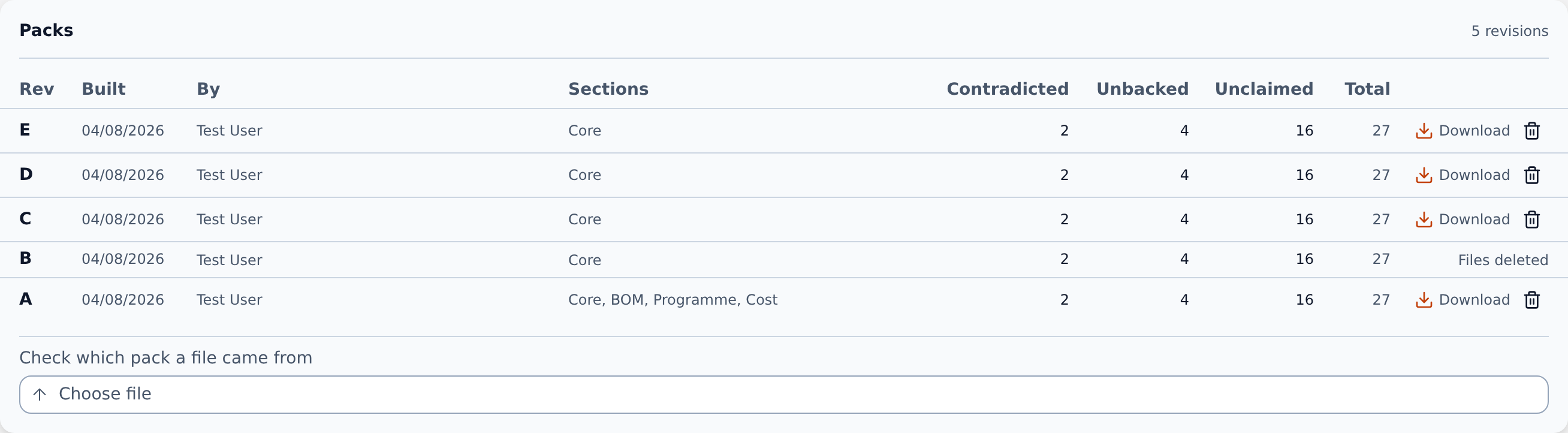
The Packs card: one row per revision, with its sections, its three headline counts, and Download.
Download gives <project>-handover-pack-rev-<letter>.zip.
Admins can delete a pack's files. The row, its counts and its file values stay, so the record of what went to the client survives.
The three count columns are the same ones on the page: Contradicted, Unbacked (Unsubstantiated plus Unsigned evidence) and Unclaimed.
Identify a returned file
Drop a .pdf or .xlsx into Check which pack a file came from. It answers which revision that file is, without uploading anything.
A file that was opened and re-saved is no longer byte-identical, so a marked-up workbook reads as not matching. That is a statement about the bytes, not about the contents.