Knowledge Base
Getting Indoor Directions
Directions answers the question a maintenance technician actually has. Not "where is this valve" but "how do I get to it from here", across levels, through the stairs and lifts the building really has.
Getting a route
Open Directions in the left panel.
1. Pick a From point. The list is searchable and grouped into Entrances, Rooms and Assets. 2. Pick a To point the same way. 3. Tick Accessible route (avoid stairs) if you need it. 4. Press Get directions.
Either end can be set by clicking the plan instead of hunting a list: press the crosshair beside the field and click a room or an asset. Escape cancels.
Reading the result
| What you see | What it means |
|---|---|
| Time and distance | The estimated walk |
| Steps | Turn by turn, expandable |
| Level pills | The route crosses floors. Click one to follow it there |
| Faint dashed line | That part of the route is on a level you are not viewing |
| Partly approximate | Some of the route runs over links ReqTwin had to bridge, not paths the model contains |
Clear route wipes it. Pick the same point twice and the panel says so before you press anything.
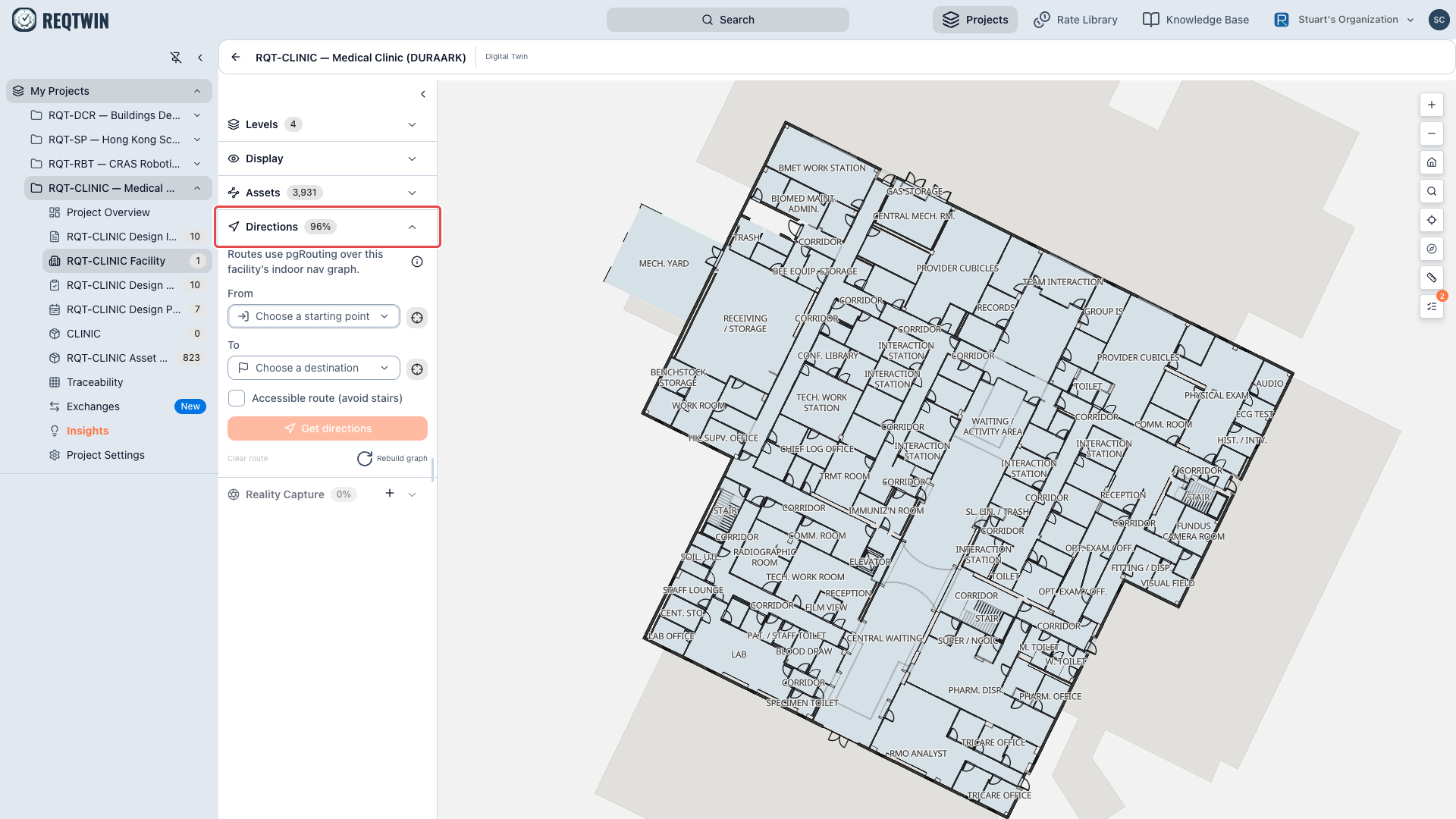
The Directions panel open on RQT-CLINIC, with From and To pickers, the accessible-route option, and the route-quality percentage on the section heading.
A route to a room ends at its door
Nobody walks to the middle of a cupboard. Ask for directions to a room and the route stops at the door you go in by, not at a point in the centre of the floor.
That is not a cosmetic trim. The last hop from a doorway to the centre of a room is a straight line across the interior, and on a room with no interior detail it can cut across the fabric in between, so a journey that was clean the whole way could pick up a fault in the moment it arrived.
An asset destination is never trimmed. Routing to a pump in a plant room, or a robot in a lab, has to arrive at the thing, and stopping at the door of a 350 m² space would be useless. So the rule keys on what you asked for: a room ends at its door, an asset ends at the asset.
Where there is no door to stop at (a stair opening straight into a space, or a room the model gave no opening) the route is left exactly as it was, because inventing a door would be worse than walking to the middle.
Routes stay inside the building
A route does not walk through walls. Walls and railings are barriers, and any link that genuinely crosses one is removed from the graph. Doors, stairs and lifts are the ways through, so a route that passes through a doorway is a route through a door, not a wall crossing.
Two things deliberately do not stop a route:
Fabric ReqTwin generated itself. A synthesised wall is not evidence that a barrier exists, and when one has been investigated it has usually been the thing that was wrong.
Fabric passing overhead. A soffit or a bulkhead above head height is something you walk under.
The quality badge
The Directions heading carries a percentage, and it covers two failures at once: a route counts as clean only if it completed and stayed inside real circulation. An unreachable room and a route through a wall cost the same.
That is on purpose. Deleting every edge that clips a wall makes an accuracy figure look perfect, and it does it by making rooms unreachable so they stop being counted. Hover the badge for the split. "The Indoor Routing Engine" explains what to do about a poor score.
If there is no graph yet
A new facility has no navigation graph until one is built. The panel says so and points at Rebuild graph at the bottom. A rebuild re-applies the wall and railing checks, so the result is durable rather than a one-off clean-up.
Known limits
One facility at a time. Campus-to-campus routing is not offered here.
No road or rail chainage routing.
The Sign-on endpoint group renders empty; nothing populates it yet.
A rebuild on a very large facility can outrun the request timeout.